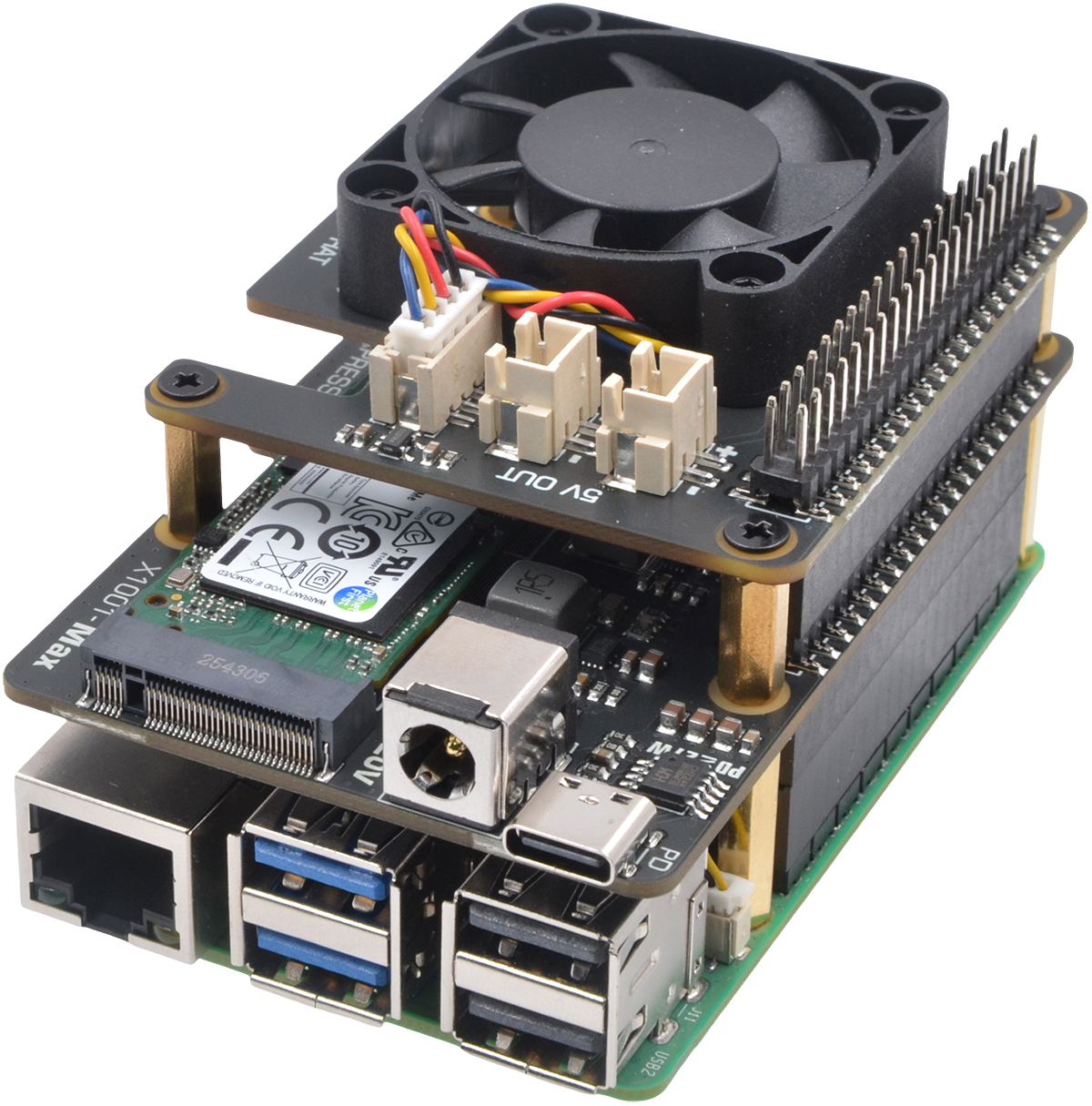
PCIe3.0 M.2 HAT for RPi5
  Ideal for Power-Hungry M.2 Devices
   
 
  Home       Be Our Distributor      Custom Products      OEM/ODM      What We Do      Contact  
     
 
  X1001-Max V1.0  ACTIVE hardware   software  


       Product Overview  


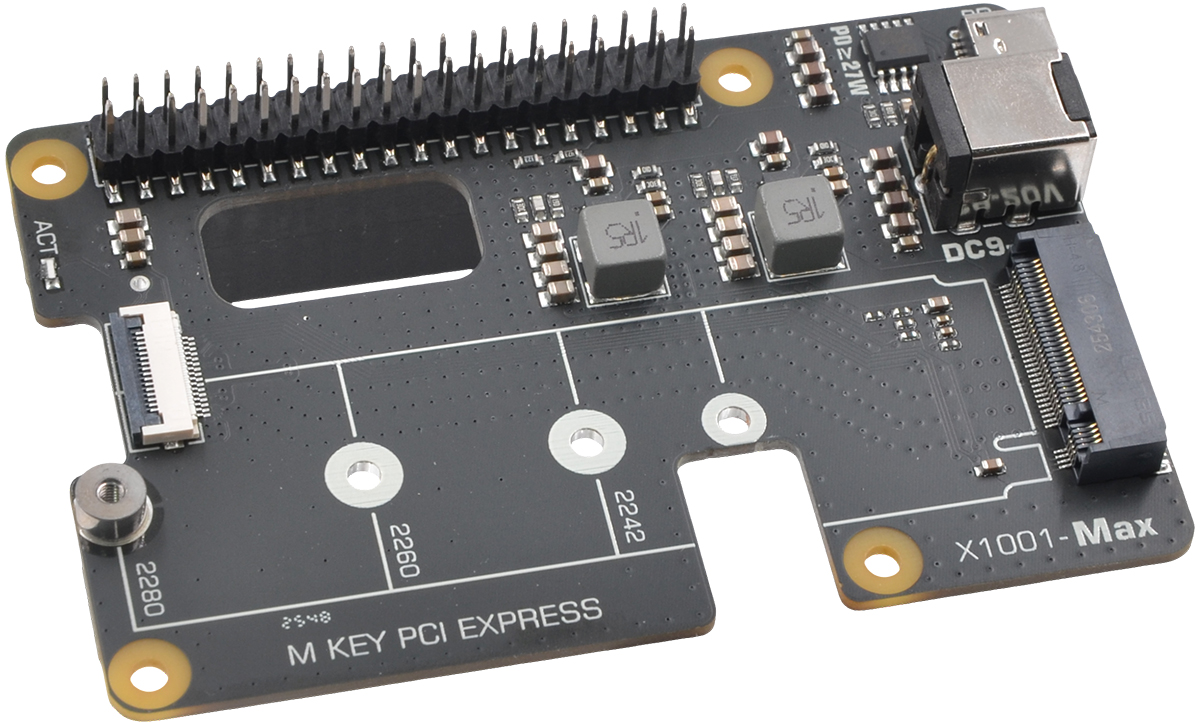
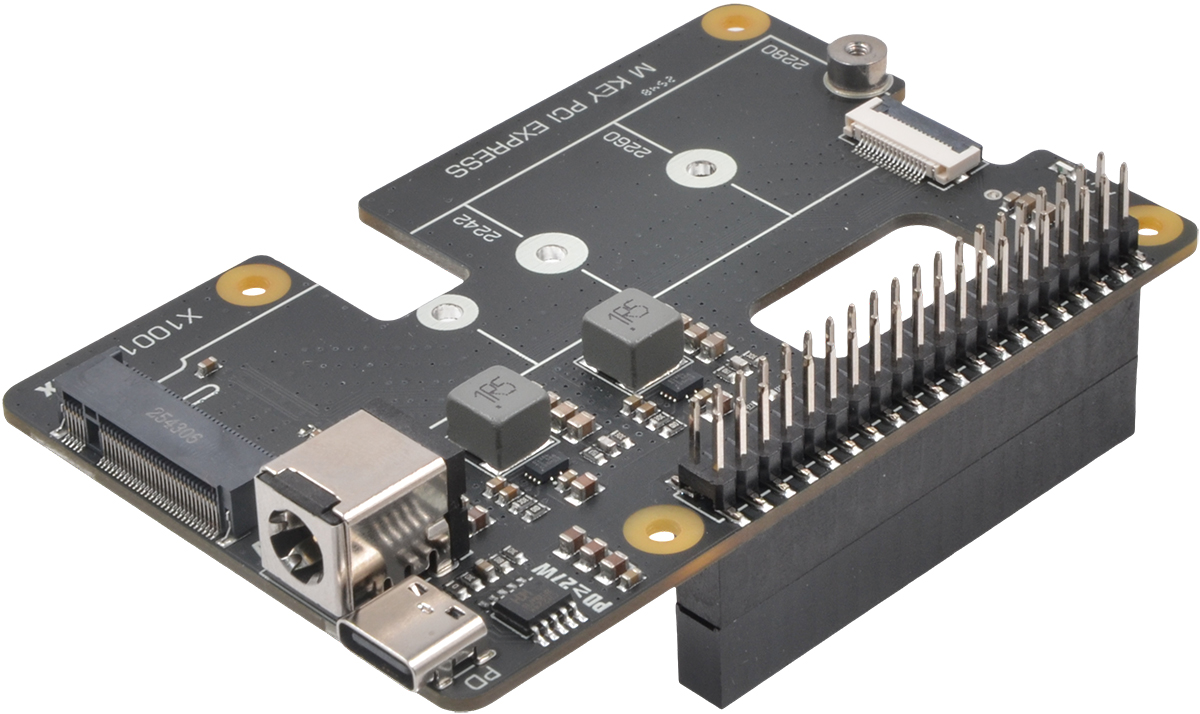
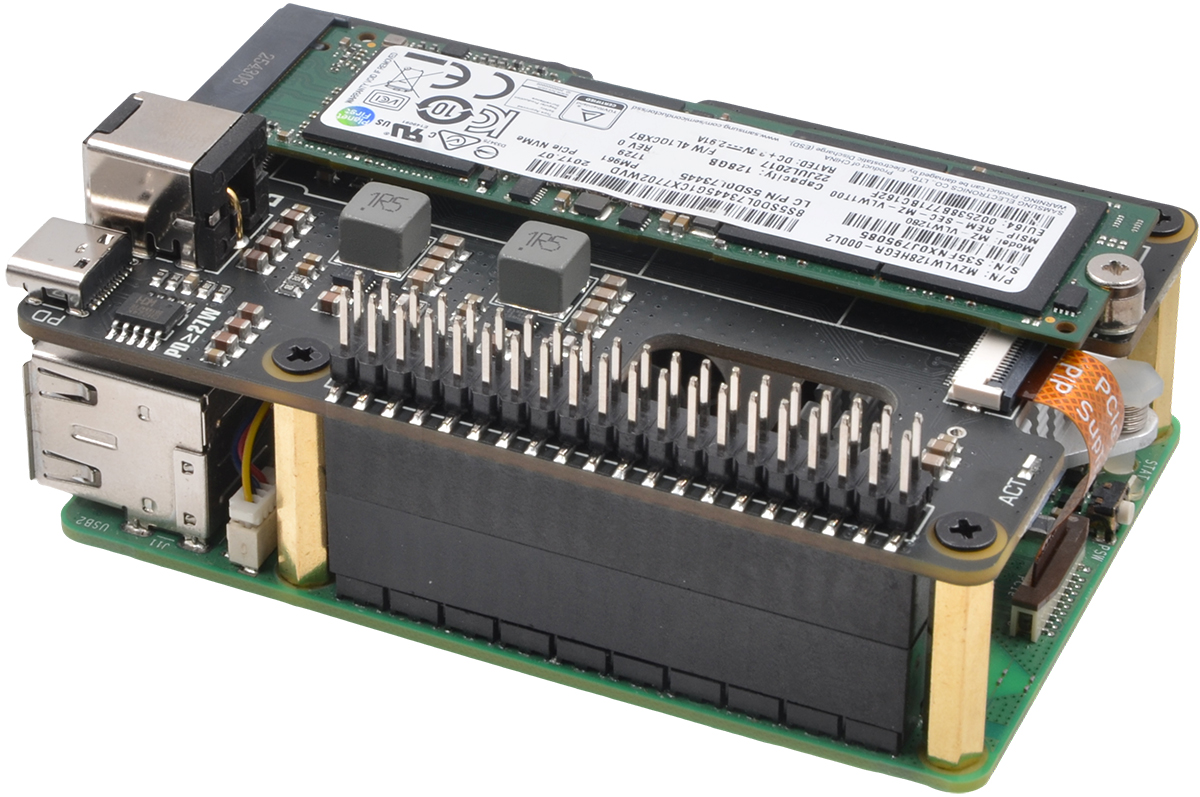
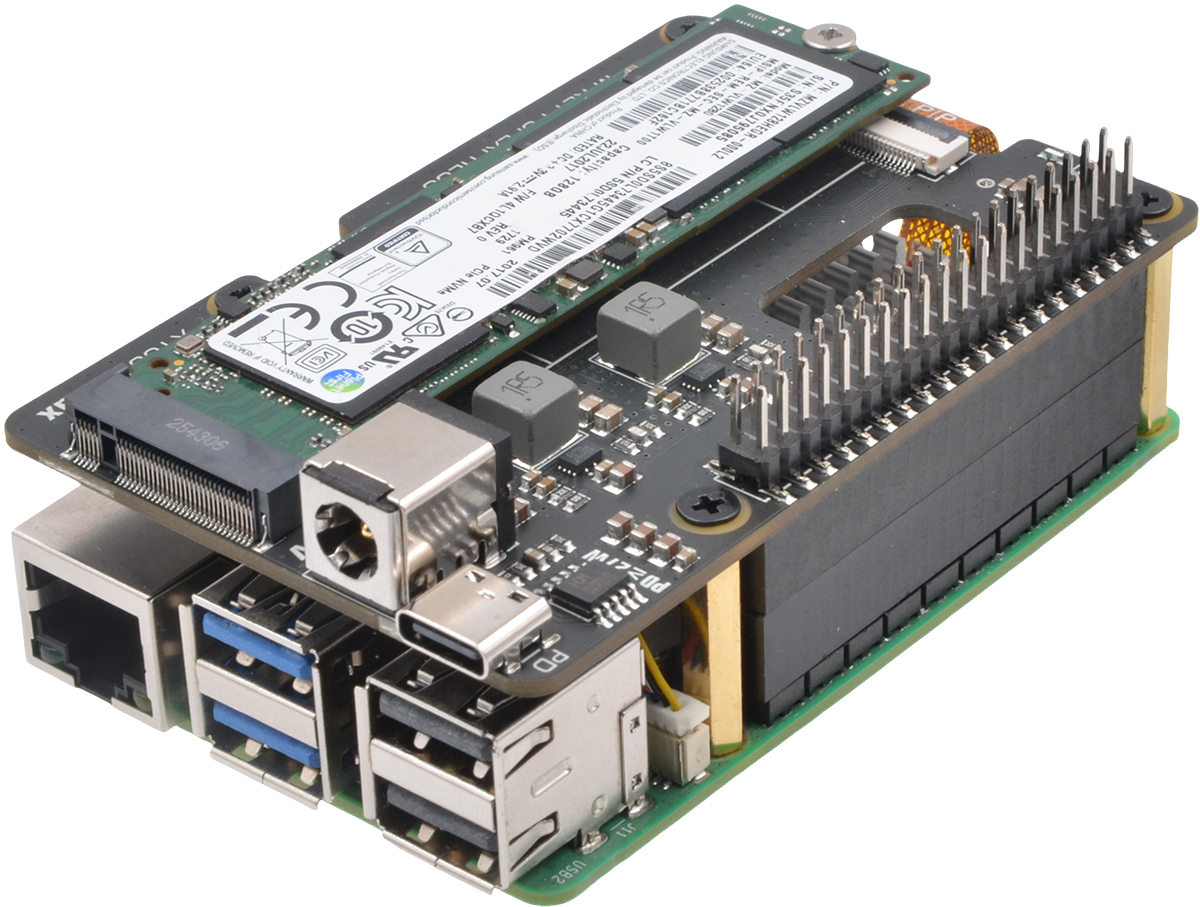
The X1001-Max is a high-performance PCIe extension board designed for the Raspberry Pi 5, enabling support for power-hungry M.2 devices such as AI accelerator cards and large-capacity SSDs. It supports max 120W USB-C PD input and integrates efficient DC-DC converters to deliver 5.1V/8A for the Raspberry Pi 5 and 3.3V/8A for M.2 peripherals, providing a complete, single-cable power solution.

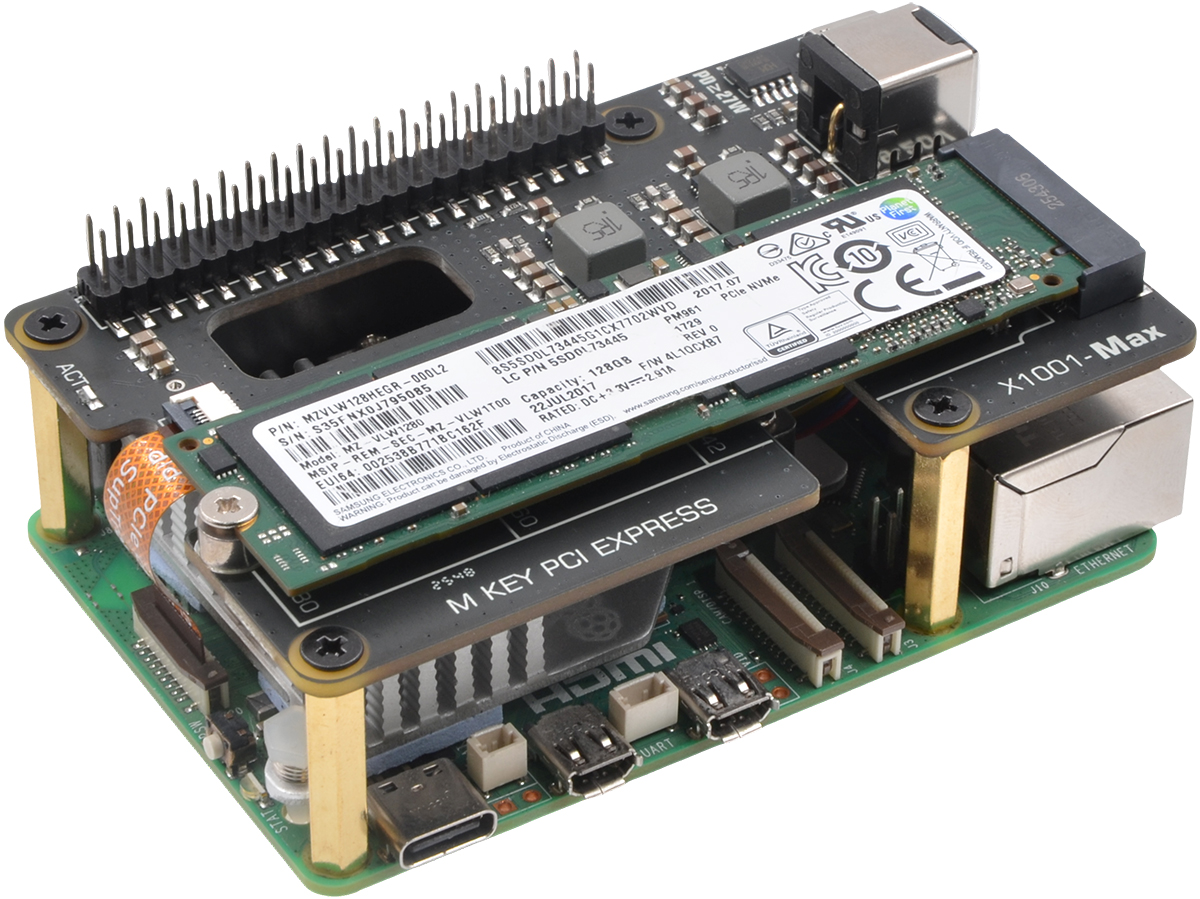
With support for common M.2 SSD lengths (2230 to 2280) and a PCIe 2.0/3.0 interface, the board offers data transfer speeds up to 8 Gbps for rapid file access and AI processing. Its compact design includes dedicated mounting points and is compatible with the official Raspberry Pi 5 passive cooler, ensuring secure installation and effective thermal management for sustained high-performance operation.


       Product Features  
 
 
ü Ideal for Power-Hungry M.2 Devices: The perfect solution for high-demand devices like AI accelerator cards and large-capacity SSDs.  
ü Flexible Power Input Options: Can be powered either via the USB-C socket (PD 27W–120W) or the 5521 DC jack (9–20V).  
ü  High-Current Power Delivery: Integrated dual DC-DC converters supply 5.1V/8A for the Raspberry Pi 5 and 3.3V/8A for M.2 devices.  
ü

Wide M.2 SSD Compatibility: Supports common SSD lengths, including 2230, 2242, 2260, and 2280.

 
ü High-Speed Data Interface: PCIe 2.0/3.0 interface enables data transfer speeds up to 8 Gbps.  
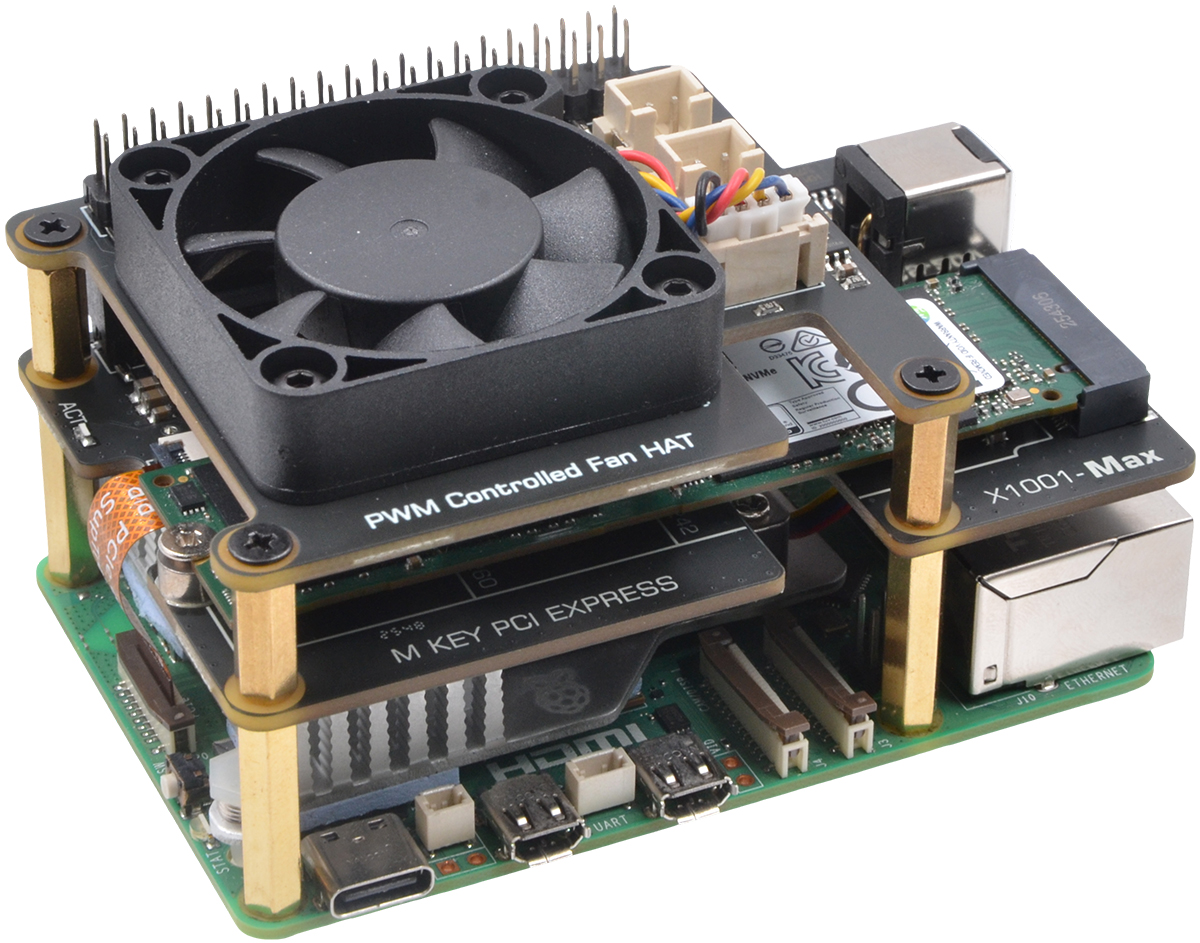
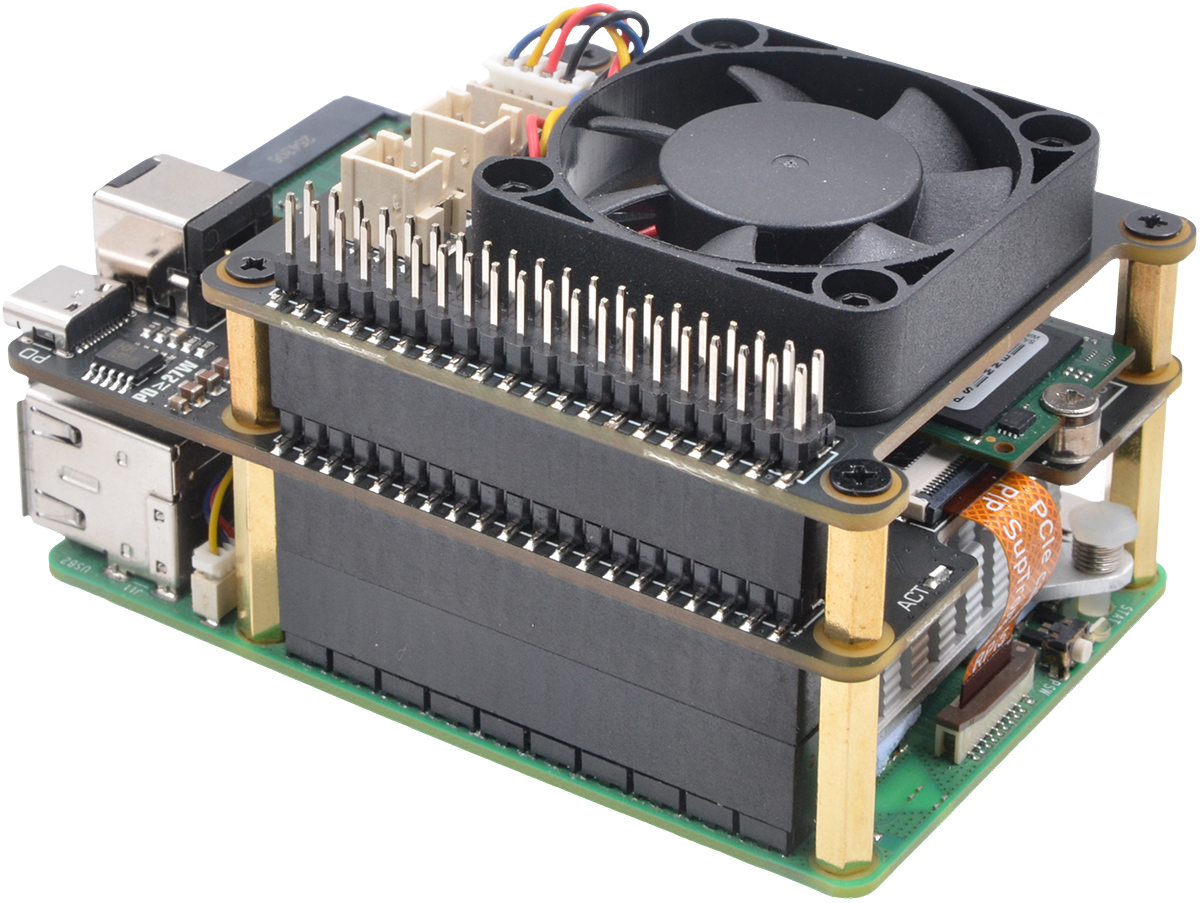
ü Optimized Thermal Design: Compatible with the official Raspberry Pi 5 passive cooler and includes a PCB heat-dissipation slot.  
ü

Stackable Top-Mount Form: Mounts on top of the Raspberry Pi 5, allowing seamless stacking with other HATs.

 
ü Supports the Hailo AI acceleration module.  
ü Compatible Accessories: X-FAN40 PWM-controlled fan HAT providing active cooling for your M.2 devices.  
       Test & Reviews  


Test Conditions

-System board details: Raspberry Pi 5 Model B Rev 1.0 , 4G RAM

-Interface board details: X10xx Series NVMe Shield

-Operation system: Raspberry Pi OS with desktop (Debian13 (trixie), 64bit, Release date: 4 Dec 2025)

-Storage details: Netac N930E-PRO M.2 NVMe 128GB, Samsung 970 EVO Plus 500G


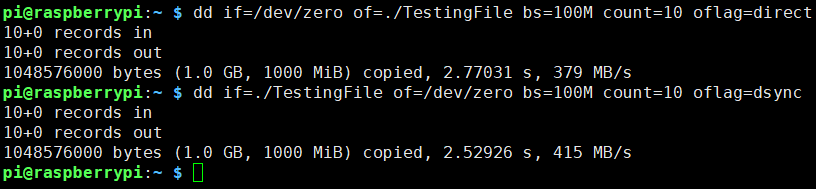
Testing the SSD speed from command line with dd

1) To test the write speed, writing 1 GB of data in 10 blocks of 100 MB.

2) To test the read speed, use dd to read our entire TestingFile file generated from the last command, in 10 blocks of 100 MB each.


Run at PCIe 2.0


Run at PCIe 3.0
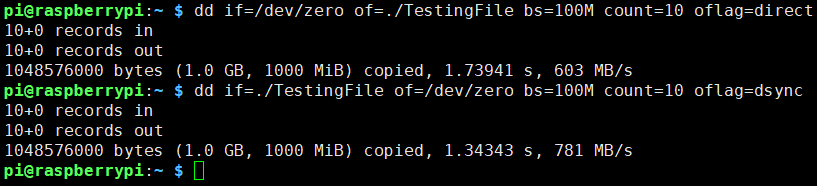


As seen above, the final results with the dd command are:

  -Write speed: 379 MB/s at PCIe 2.0, 603MB/s at PCIe 3.0
  -Read speed: 415 MB/s at PCie 2.0, 781MB/s at PCIe 3.0


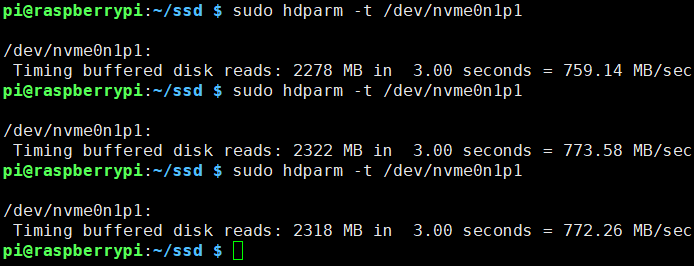
Testing disk drive read speed with hdparm

Run at PCIe 2.0, average read rate: 395.5 MB/s (3 samples)
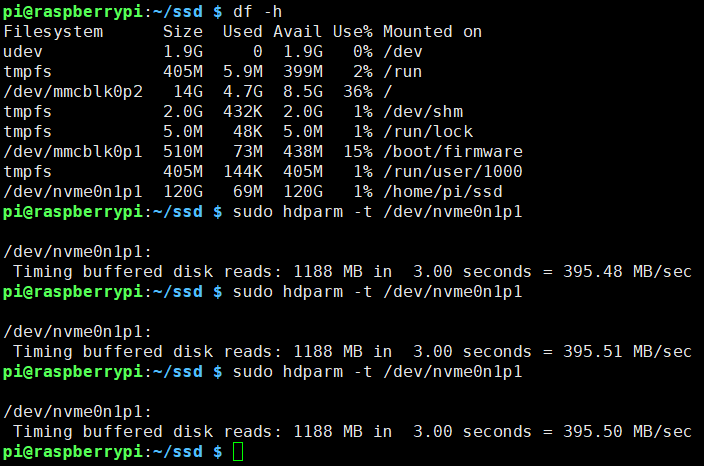


Run at PCIe 3.0, average read rate: 768.3 MB/s (3 samples)
 

       Technical Specification  
 
 
Power input : 27W-120W USB-C PD power supply (65W/100W PD power supply recommended)
  : 9-20Vdc via DC jack (12V 5A power adapter recommended)
    (Warning: Only one power source should be connected at a time.)
RPi 5 Power Supply : 5.1V ±5% Max 8A
M.2 Power Spply : 3.3V ±5% Max 8A
Ports & Connectors : DC power jack  x1- 5.5x2.1mm
  : USB-C power in connector x1
  : PCIe connector - 16-pin pitch0.5mm
  : SSD connector - M.2 KEY-M 67P
  : 40-pin extended GPIO header x1
PCIe cable length   30mm
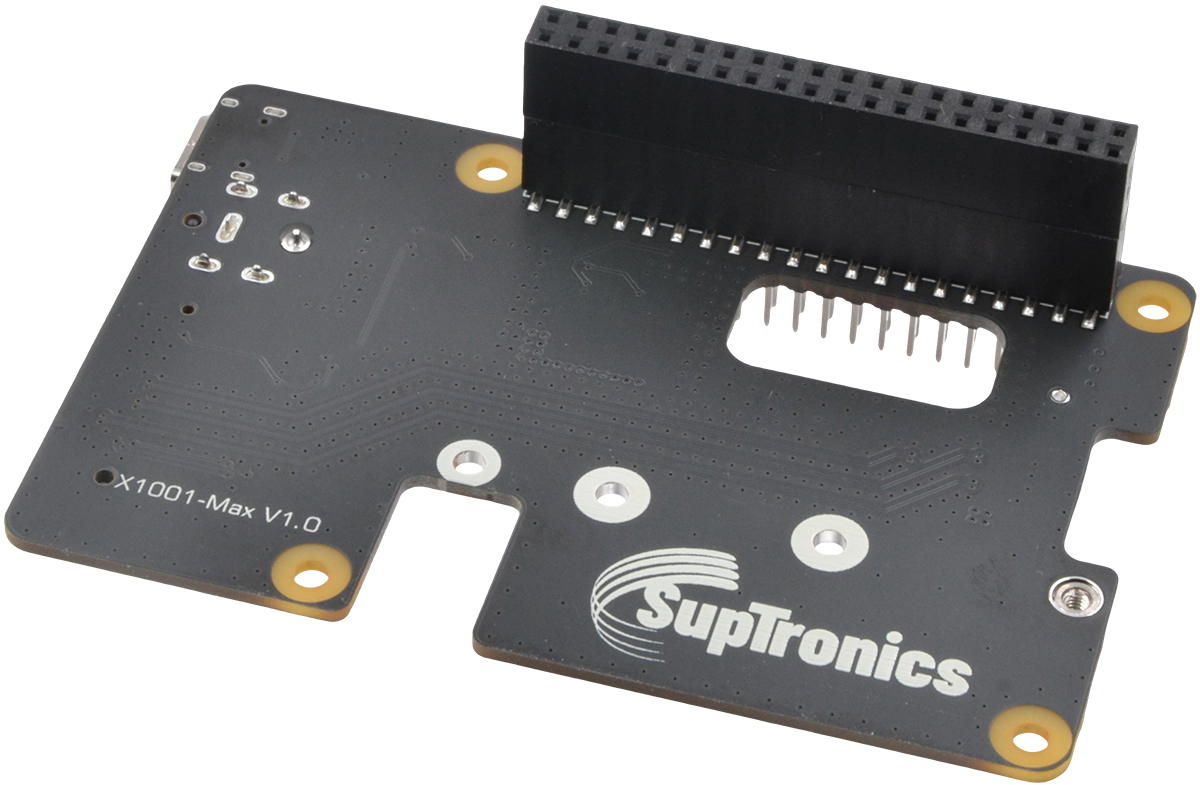
PCB Size : 85mm x 57mm
 
       Package Contents  


-  X1001-Max V1.0 PCIe expansion board x1

  -  Spacer M2.5x20mm x4
  -  Screw M2.5x5mm x8
  -  PCIe FFC cable 30mm x2 
  
        Important Notes  
 
 
- Power the X1001-Max via the USB-C socket or the DC jack. Do not connect both.
- Do not apply power to your Raspberry Pi via the Type-C USB socket.
- Compatible with M.2 NVMe devices.
- Not compatible with M.2 SATA SSDs, M.2 PCIe AHCI SSDs, or other M.2 non-NVMe devices
- Older NVMe drives with less efficient flash media may not perform as well as newer drives
- New NVMe SSDs are not partitioned and will need to be both partitioned and formatted when first connected to the Raspberry Pi before they will be accessed in the Explorer.


© 2025 SupTronics Technologies Limited, All Rights Reserved.